Features
Everything a series needs to stay true
Seven parts of one studio. Every screen is the real app on the demo series, The Hollowmere Cycle.
01 of 07
The series bible
Every character, place, object, event, house and secret, with where it was established.
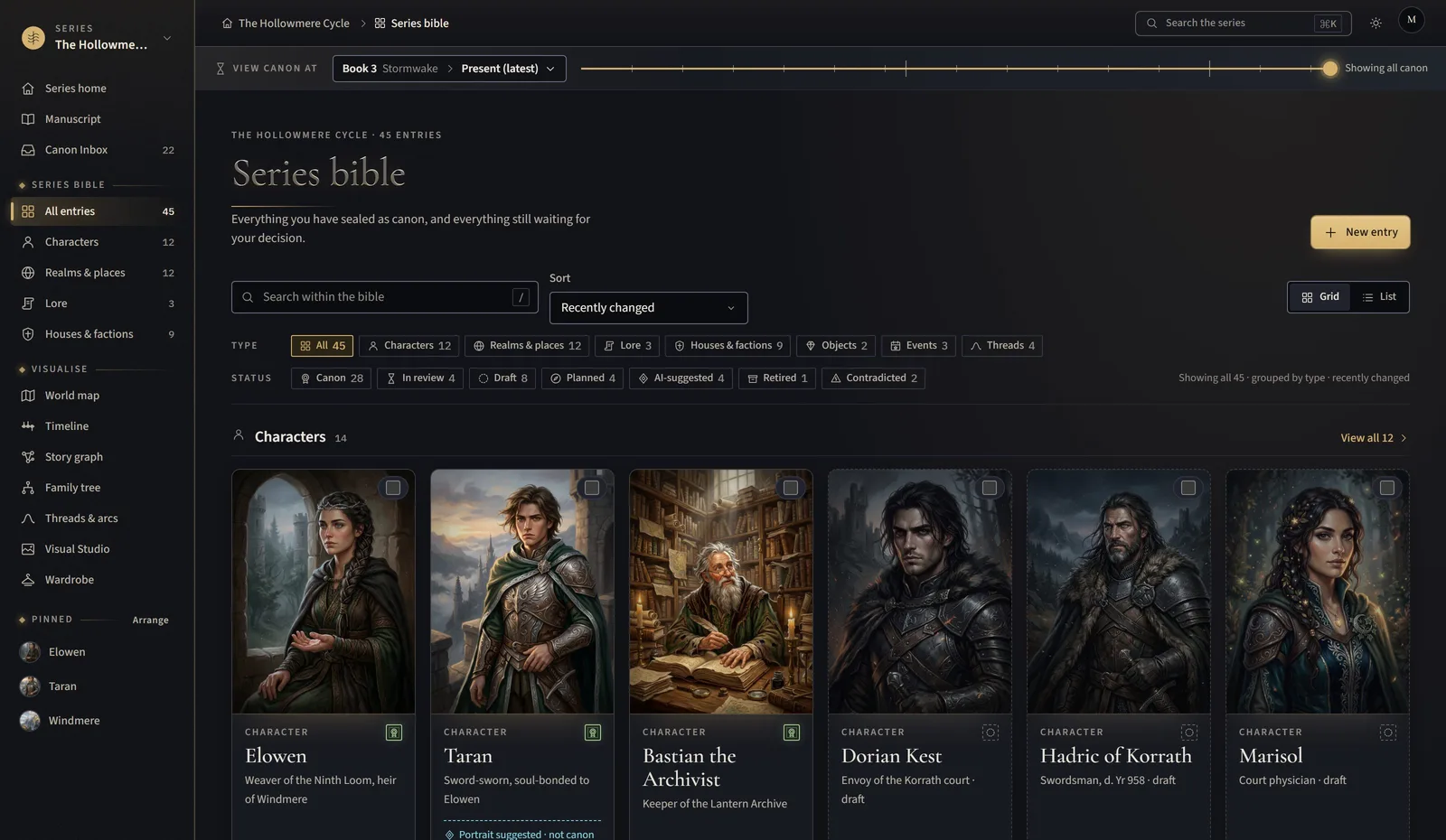
- Entries arrive as AI suggestions from your chapters, each citing the paragraph; you seal the true ones
- Facts carry their status: canon, draft, planned, retired, contradicted. Never colour alone: a glyph and a word every time
- Who knows what: a secret’s readers, rumours and reveals, tracked per character
- Search the whole bible and manuscript at once
02 of 07
The manuscript, with the world beside it
Write or import, then write on with the bible open at your elbow.
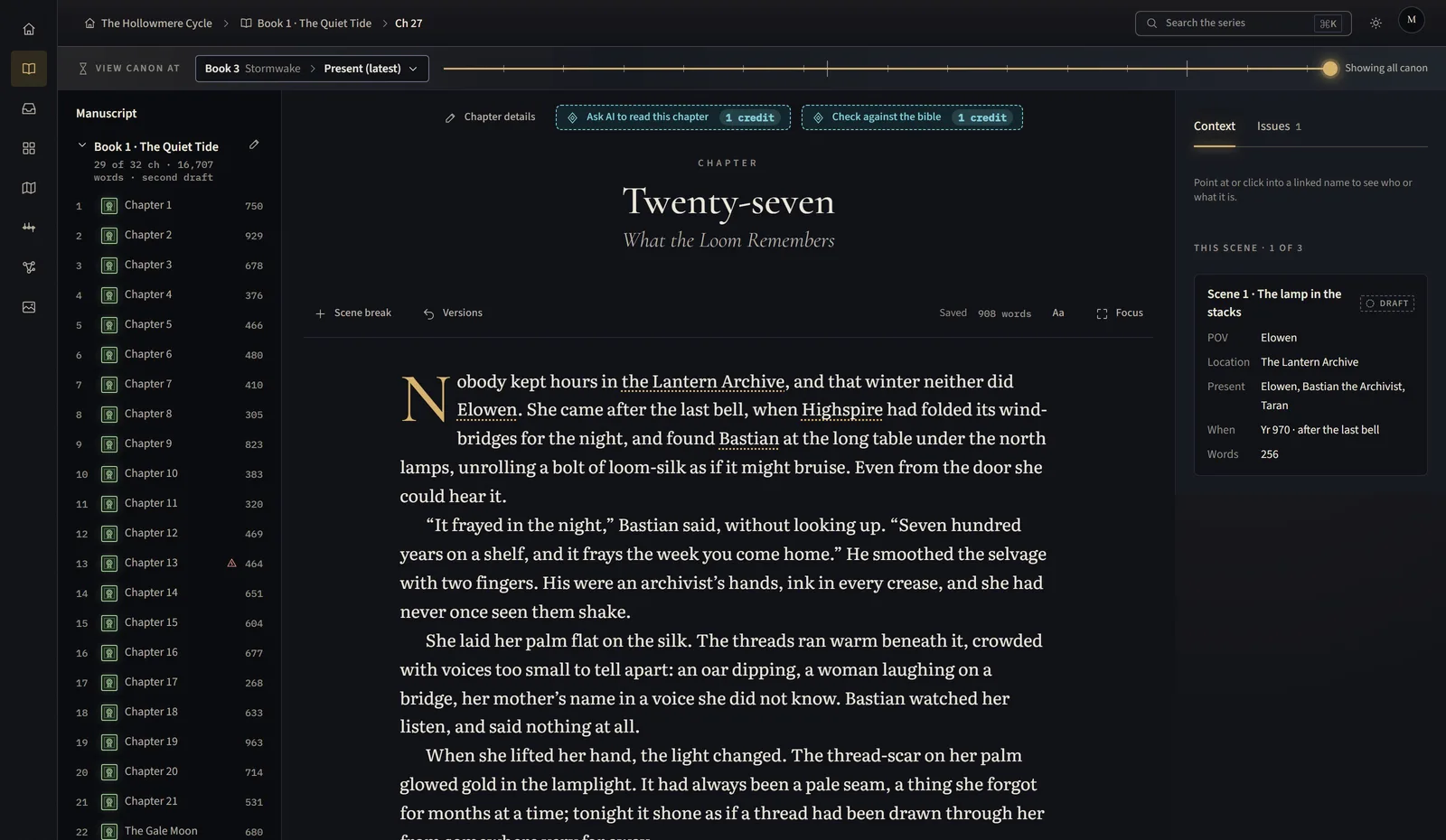
- Import a Word document; books and chapters are read and kept in order
- The scene panel shows who is present, where you are, and what each character knows at this point
- Chapter details, status and stage for books in progress, half-written or finished
- Focus mode leaves only the page
03 of 07
Continuity
The studio reads each chapter against what you sealed and says, in words, where they disagree.
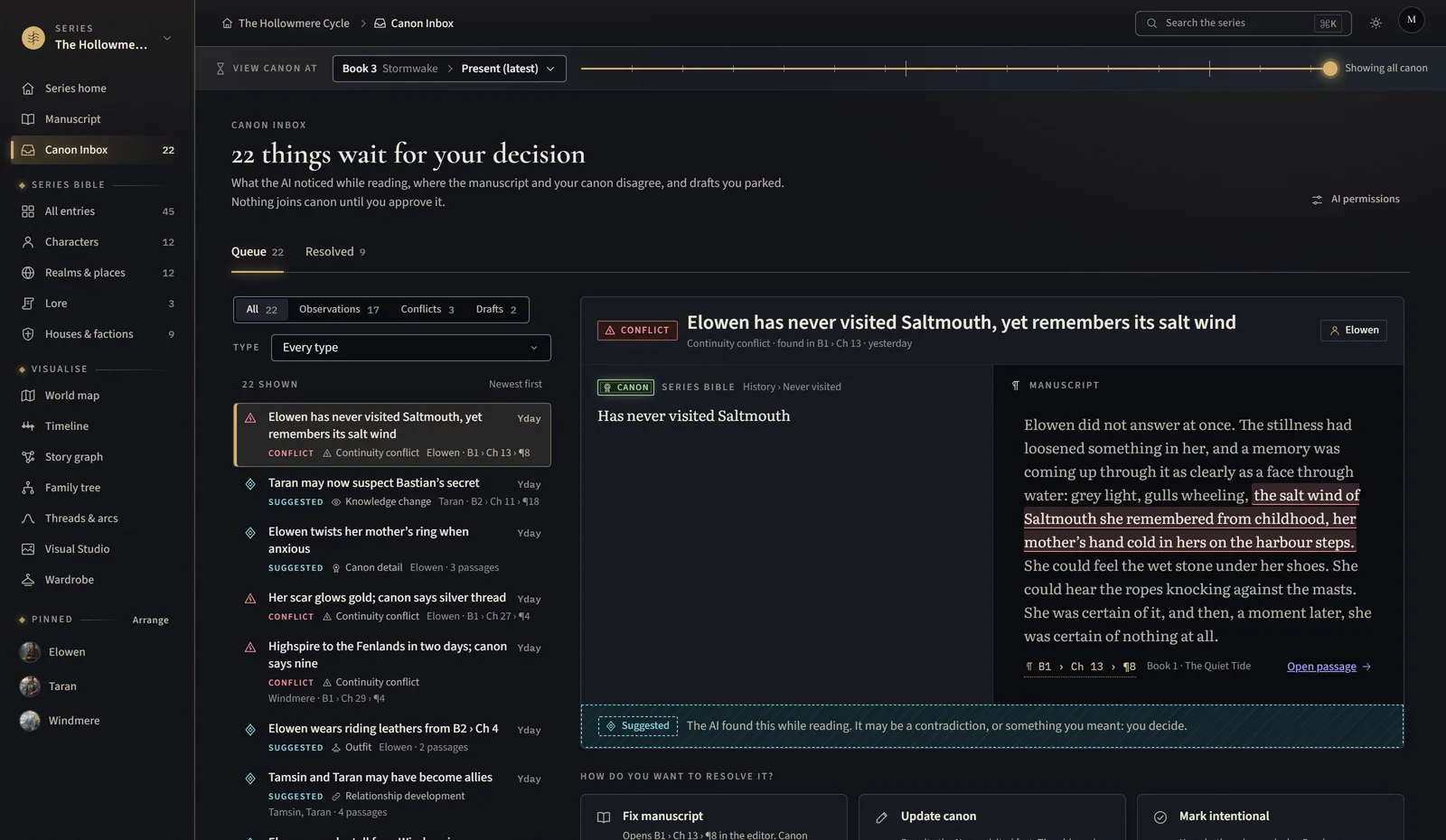
- Conflicts quote both passages and open them in the manuscript
- Three honest choices: fix the manuscript, update the canon, or mark it intentional
- Everything waits in the Canon Inbox until you decide; nothing changes on its own
04 of 07
The world map
Realms, regions and places drawn from your canon, with the routes your characters took.
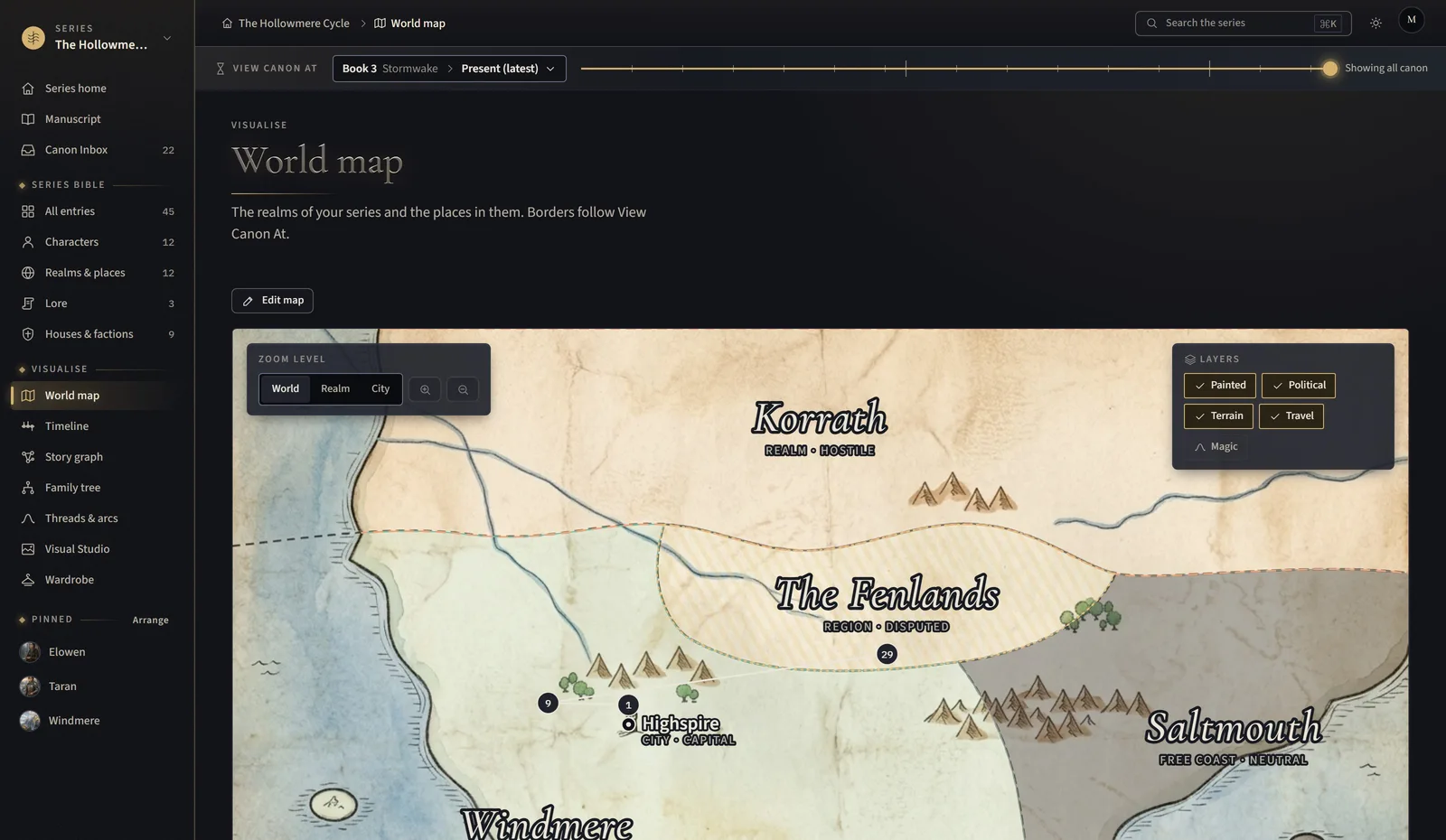
- World, realm and city zoom levels; political, terrain, travel and magic layers
- Borders and names follow View Canon At, so a map of Book 1 looks like Book 1
- Every place opens its own hub
05 of 07
Timeline, threads, graph and family tree
Four ways to see the same canon.
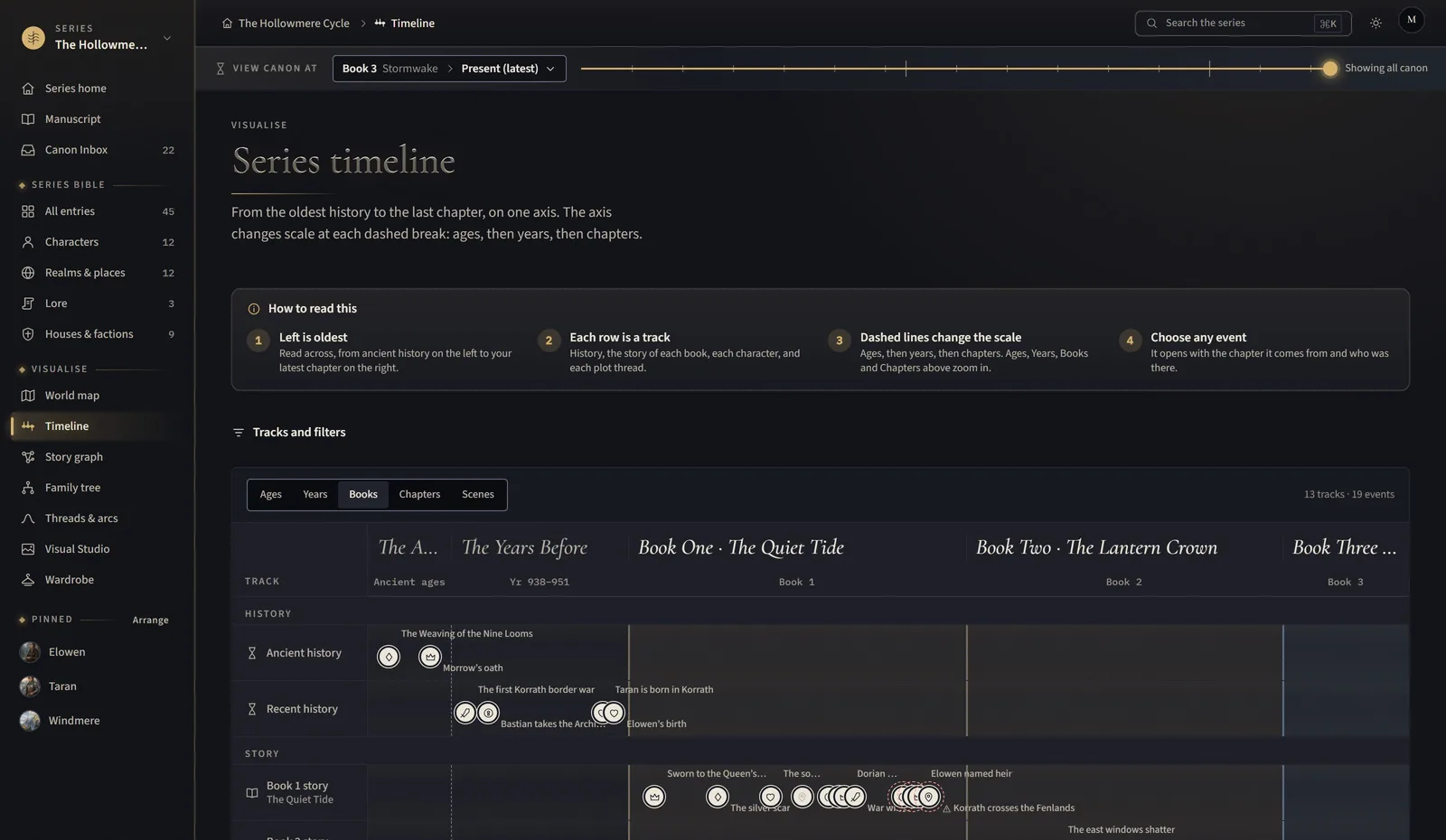
- A timeline that changes scale from ages to years to chapters
- Plot threads across every book: set-up, pay-off, still dangling
- A story graph of relationships, and family trees for the houses
06 of 07
The Visual Studio
Portraits, places and outfits painted from the facts you sealed.
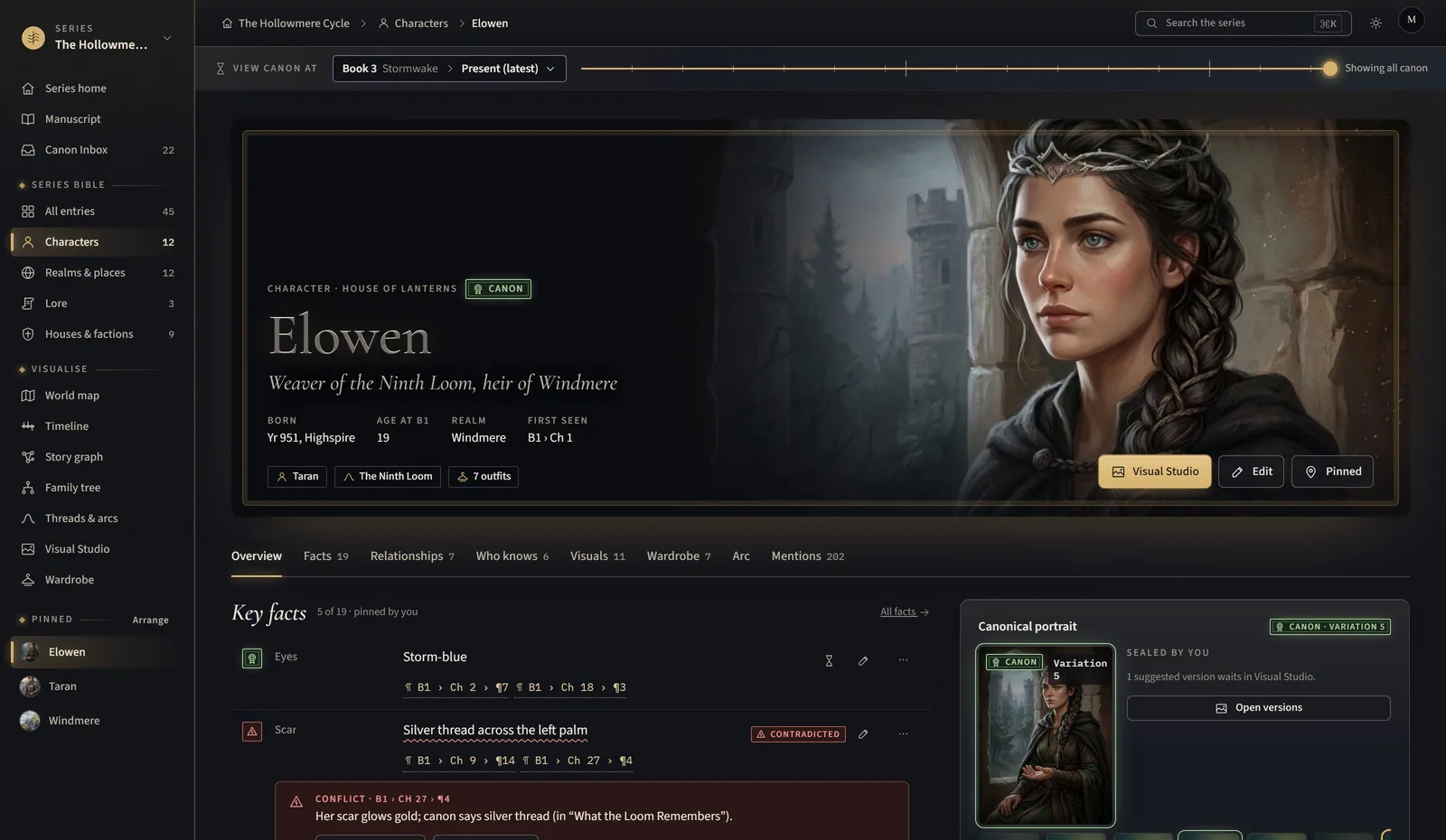
- Every prompt is grounded in canon facts you can see, and nothing else
- Edit a region, compare versions, keep history; the canon version wears the seal
- A wardrobe per character: outfits by scene, approved like any other fact
- One credit per picture; the button says so before you press it
07 of 07
View canon at any chapter
Turn the dial and the whole studio shows what was true then.
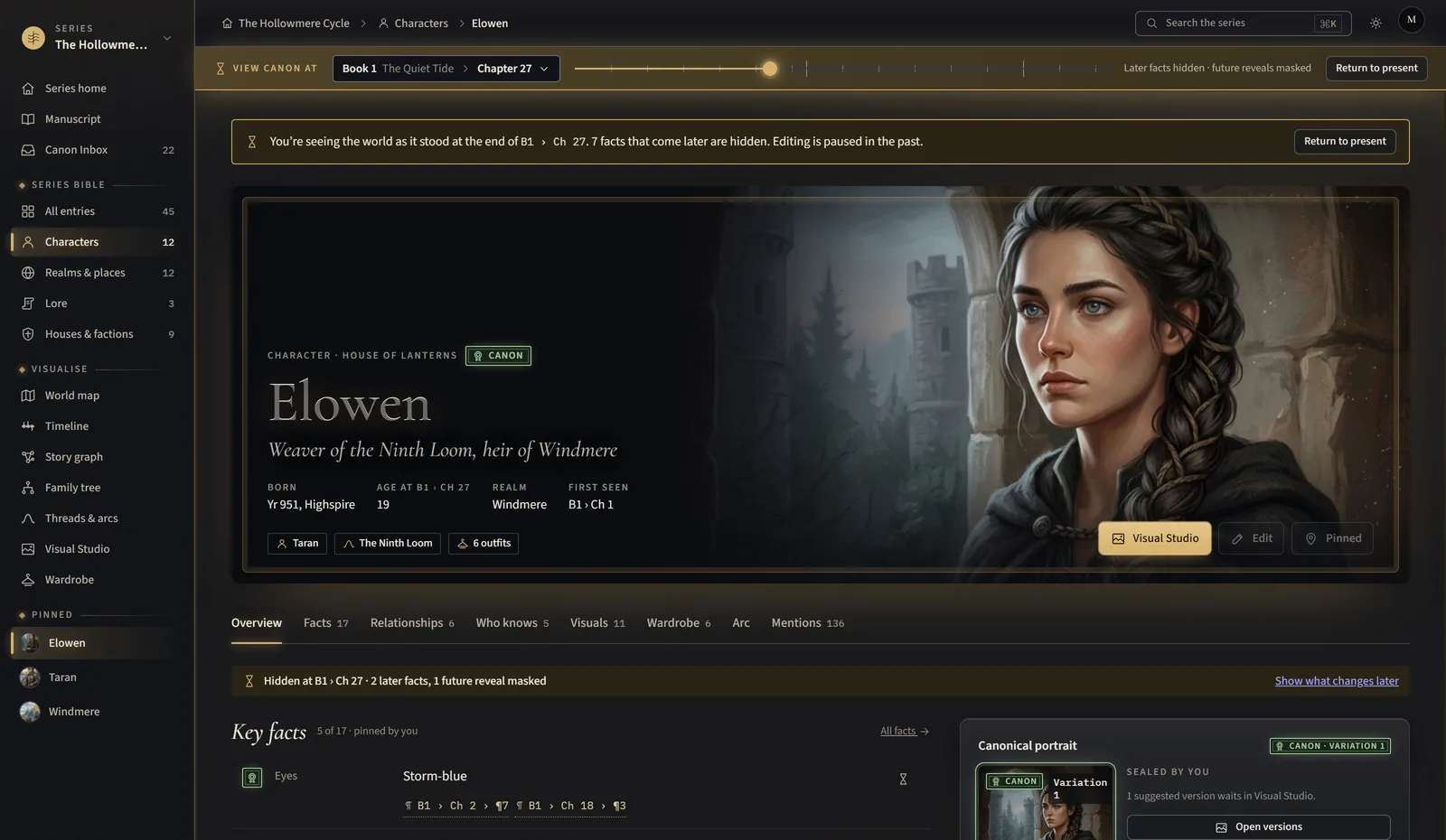
- Hubs, map, timeline, graph, threads and search all respect the chosen point
- Later facts are hidden, not deleted; the page washes in the accent so you always know you are in the past
- Export the bible as of any chapter
Ready when you are
Your series, kept true from here
Open by invitation while it grows. We will tell you when the door opens.